
Military Pet Shipping Reimbursement Paperwork: A PCS Claim Guide
November 14, 2026
Military pet shipping reimbursement paperwork: organize a receipt-backed PCS claim, verify expense eligibility, and catch missing proof before you file.
Military pet shipping reimbursement paperwork should connect each expense to your PCS, show what you paid, and document the pet’s travel. Before booking or claiming a cost, ask your travel or finance office whether it is eligible under your orders and what records it requires. Then keep authorization, itemized charges, payment proof, and travel documents together. This process makes a claim easier to review without assuming that every pet-related expense qualifies.
Step 1: Confirm the rules for your orders and proposed expenses
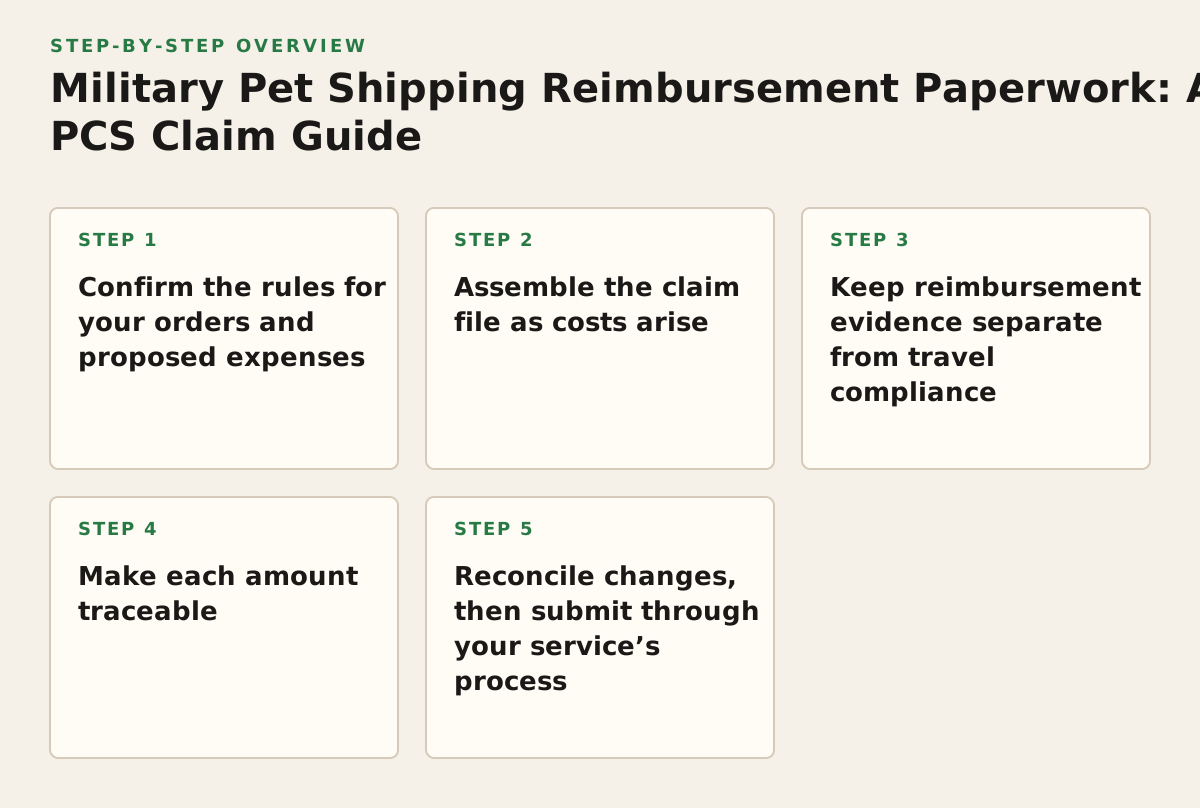
Start with eligibility, not a pile of receipts. Whether a cost may be claimed can depend on your orders, move, and the type of expense. The Joint Travel Regulations are the official reference for travel entitlements, but your travel or finance office should explain how the current rules apply to your specific situation and service process.
Ask about the actual line items
Describe the orders and route, how the pet is expected to travel, and the costs you are considering. Ask whether each category is eligible, whether approval is needed before you commit funds, and which documents to submit. A general answer about “pet shipping” may not resolve whether a particular charge is allowable. Keep the response with your PCS records; if you receive guidance verbally, ask whether it can be confirmed in writing.
- Identify the move: note the relevant order details and travel route.
- Name the costs: ask about each planned charge rather than presenting one broad total.
- Record the answer: save the date, office, guidance, and any required next step.
For relocation planning, Military OneSource’s moving and PCS resources can help you organize move-related tasks. Use your service’s designated travel office for a decision about reimbursement.
Step 2: Assemble the claim file as costs arise
Create a folder for the pet-related records and keep copies of the originals. A reviewer needs more than evidence that money changed hands: the file should make it possible to connect an expense to the PCS and the service performed. Use consistent file names with the date, vendor, and document type, such as “2026-05-14 airline receipt.” Add the year only when it matches the document; a file name is a label, not proof of a date or entitlement.
Match each record to a question
Keep the orders and amendments, relevant authorization or filing instructions, estimates, final invoices, itemized receipts, and payment records. Save booking confirmations and itinerary updates to show the travel connection. If someone else booked or paid, keep the available records showing who paid and how the charge relates to the move; ask your office whether it needs anything else for that arrangement.
- Authorization: orders, amendments, and any required approval.
- What was charged: an invoice or receipt identifying the service, date, and amount.
- What was paid: a paid receipt or transaction record, not only a quote.
- PCS connection: itinerary, booking confirmation, or other relevant travel record.
DFAS provides PCS travel information for Army members on its Army PCS travel page. That Army-specific resource should not be treated as filing instructions for another branch; follow your own service’s process.
Step 3: Keep reimbursement evidence separate from travel compliance
Documents that let a pet travel and documents that support a reimbursement claim do different jobs. A health certificate, import document, vaccination record, or carrier form may be needed for the trip, but it does not by itself establish that its cost qualifies for a PCS claim. In the other direction, a paid invoice does not show that the pet met a destination’s entry rules. Keep these workstreams organized separately, even when one document is relevant to both.
Build a destination file for international travel
Check the official requirements for the destination and any transit points before booking. The USDA APHIS pet travel guidance covers U.S. requirements for pets traveling internationally from the United States; it does not replace the destination’s rules. The U.S. Department of State’s pets and international travel guidance also directs travelers to check requirements for their destination. Save the documents required for the trip, then ask your finance office which related costs, if any, may be included in a claim.
For a move involving Hawaii, keep entry-related records distinct from your reimbursement file. BestPetTravel’s Hawaii pet shipping page is a related planning resource; verify current entry requirements with the appropriate official authority.
Step 4: Make each amount traceable
A simple ledger can expose missing documents before you submit. Give each charge its own row rather than combining unrelated services into a single total. Record the vendor’s description as written; do not rename a charge to make it sound eligible. If an invoice bundles several services, ask the vendor whether it can provide an itemized version. If a receipt is missing, request a duplicate and retain the request or reply instead of recreating a receipt yourself.
| Ledger field | What to enter | What to check |
|---|---|---|
| Date and vendor | Date charged and provider name | Does it match the invoice or payment record? |
| Service and amount | Vendor’s description and the amount paid | Is the service itemized, and are refunds or credits recorded? |
| Payment evidence | Receipt or transaction-record file name | Does the record show payment rather than an estimate? |
| Travel connection | Relevant itinerary or booking file | Can a reviewer see how it relates to the PCS? |
| Approval or guidance | Office response or authorization, if applicable | Does it address this expense category? |
Worked example: one invoice with multiple charges
Illustrative example: A family has an invoice listing pet transport and a separate document-handling charge. Instead of entering only the combined total, they request itemization, save the payment record, and note the itinerary segment each service relates to. The file makes the charges easier to assess, but it does not establish that either one is reimbursable. The travel office must determine eligibility under the applicable rules.
Step 5: Reconcile changes, then submit through your service’s process
Rebookings, added charges, cancellations, and refunds can make the final amount differ from an early estimate. Keep the original and revised records, and add a short factual note explaining the change. Track refunds or credits so the amount presented reflects the transaction after adjustments. If a vendor’s description is unclear, request clarification; do not alter it yourself.
Run a final document check
Compare the ledger against the receipts, payment records, and travel documents. Check names, dates, services, and amounts for inconsistencies. Follow the submission channel, forms, and deadline given by your service or travel office; requirements may differ, so do not rely on another branch’s checklist as your authority.
- Trace every amount: link each entry to its supporting records.
- Explain exceptions: retain itinerary changes and document refunds or credits.
- Keep a copy: save what you submit and any replies or requests for more evidence.
- Answer specifically: if the claim is returned, provide the record or explanation requested.
Before sending, confirm that you have checked the relevant expense categories, followed your service’s instructions, and included the supporting records it requested. Avoid adding unrelated personal documents. Keep the final submission and disposition with your PCS file so you can refer to the same evidence if follow-up is needed.
First action: send your travel office the proposed expense list
Before committing to a cost, send your travel or finance office the relevant order context, route, and proposed expense categories. Ask which costs may qualify, whether advance approval is needed, and what proof and filing instructions apply. Use that answer to decide what to book and how to organize your file. For help coordinating pet transportation, BestPetTravel provides domestic and international pet relocation services; see military pet shipping or contact the company through BestPetTravel to discuss your move.
Authored with NotFair SEO