
Military Pet Shipping Pcs Order Documentation: Build a Route-Ready Packet
November 21, 2026
Use military pet shipping pcs order documentation to organize PCS orders, route checks, veterinary records and airline confirmations before booking.
Military pet shipping pcs order documentation should connect your current PCS orders to a specific pet, route, airline plan, and destination requirements. Build one indexed packet, but keep orders separate from veterinary and entry documents: orders establish the move context, not permission for a pet to enter a destination or fly. The steps below help you assemble a reviewable packet and identify what to confirm before booking.
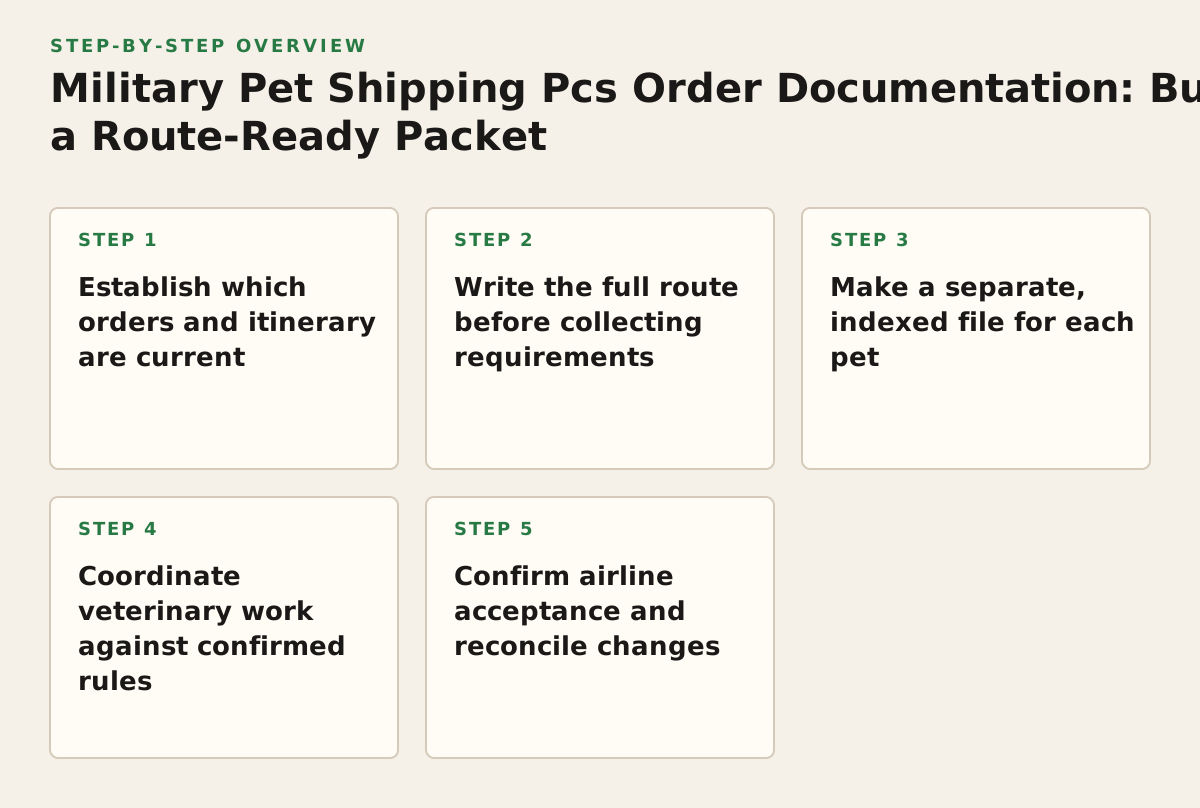
Step 1: Establish which orders and itinerary are current
Start with your current PCS orders and any amendments. Make a working copy, retain the original files, and record the destination and dates currently shown. If an amendment changes the destination, reporting location, or travel plan, mark earlier route-specific paperwork for review rather than assuming it still applies.
Keep move authorization distinct from pet requirements
Orders can document the assignment and move context, but they do not substitute for a pet’s veterinary records, destination forms, or airline acceptance. For questions about travel policy, entitlements, or what proof an office requires, check with your servicing transportation or finance office. The Defense Travel Management Office’s Joint Travel Regulations page is an official place to review travel policy; it does not determine how a rule applies to every individual case.
Use the Military OneSource PCS checklist as a general move-planning aid, not as pet-entry authorization. For broader relocation planning, see military pet shipping, while confirming the requirements for your animal and route with the responsible authorities.
Step 2: Write the full route before collecting requirements
List the origin, destination, transit points, intended travel method, and the operating carrier for each flight segment if known. A route change can change which authorities or carriers need to review the documents, so do not treat a destination-only checklist as a complete travel plan.
Build a requirement matrix
Use the table to track who controls each decision. Write the actual requirement or question in the middle column; a blank or uncertain item should remain open rather than being marked complete.
| Area | Record in your matrix | Who to ask |
|---|---|---|
| PCS move | Current orders, amendments, and any requested proof | Unit, transportation office, or finance office |
| Destination entry | Required forms, certificates, tests, endorsements, and submission instructions | Official destination authority |
| Transit | Whether a stop creates additional entry, handling, or document conditions | Relevant authority and operating airline |
| Airline | Pet acceptance, travel method, container instructions, and confirmation details | Operating airline for each segment |
| Costs or entitlements | Whether a specific expense is covered and what evidence is needed | Servicing finance or transportation office |
For pets leaving the United States, the USDA APHIS pet travel resource provides destination-specific guidance. For dogs entering the United States, consult the CDC dog importation requirements; do not assume those dog rules also apply to cats or other species. For international travel, the U.S. Department of State’s pets and international travel guidance directs travelers to check destination-specific rules. Use the authority responsible for the destination’s requirements to resolve anything those resources do not answer.
For Hawaii, review the state’s Animal Quarantine Station information before setting travel dates or arranging veterinary work. The applicable process depends on meeting the state’s conditions, so verify the current instructions rather than relying on another family’s timeline. The Hawaii pet shipping page may help with related planning, but it does not replace state requirements.
Step 3: Make a separate, indexed file for each pet
Keep each animal’s records together so that a document for one pet is not accidentally presented for another. Give each folder a clear working label and use the same name and identifier across your index. Include a microchip number if applicable, but do not add an identifier that the pet does not have.
Index documents by purpose and status
For each item, note its issuer, date or validity information shown on the document, and the person or authority expected to review it. Add a status such as “confirmed,” “pending,” or “ask issuer.” The status is a tracking tool, not a substitute for the authority’s approval.
- Pet identity: name, species, distinguishing details, identifier if applicable, and a current photo for your own reference.
- Move and itinerary: current orders and amendments, planned route, travel dates, and known changes.
- Veterinary records: existing vaccination and examination records, certificates, test results, and supporting identification details as required for the route.
- Travel arrangements: airline correspondence, reservation or acceptance details, and any instructions relevant to the pet’s travel method.
- Destination paperwork: forms, permits, endorsements, or other documents identified by the responsible authority.
Preserve the issued documents unchanged. If names, dates, or identifiers conflict, ask the issuing clinic or authority how to correct the record; do not alter an official document yourself. Keep working notes and translated or reformatted copies separate from source files so reviewers can distinguish them.
Step 4: Coordinate veterinary work against confirmed rules
After you have a route and an official requirement list, share both with your veterinarian. Ask which records the clinic can provide, whether another authority must endorse or issue a document, and whether a form has a required format or validity period. These details vary by destination and route, so a generic online checklist may not be enough to plan the appointment.
Resolve sequencing before documents are issued
Some travel requirements specify when a document or procedure must occur in relation to travel or another step. Record those instructions from the responsible authority and ask the veterinarian to check that the planned sequence fits. If the authority’s wording is unclear, ask a specific question, such as whether the document must be endorsed before departure, rather than asking only whether the packet looks complete.
Before leaving the clinic, compare the pet’s identity details on new records with the existing file. Confirm what the document covers, who must review it, and whether the clinic expects you to obtain a separate endorsement. Keep a copy of signed records and any supporting paperwork. If your orders or itinerary change after veterinary work begins, check whether the new route or dates affect the documents before relying on them.
Step 5: Confirm airline acceptance and reconcile changes
Contact the operating airline for each segment and ask what it will accept for your pet, which travel method is available on that itinerary, and what instructions apply to the carrier or container. Record the date and substance of the answer, along with any confirmation or reference supplied. A booking confirmation for the passenger itinerary alone does not establish that the pet is accepted on every segment.
Worked example: an amended overseas assignment
Suppose a family’s orders initially show one overseas destination, and an amendment changes both the destination and planned travel date after a veterinary appointment has been arranged. The existing certificate may or may not remain suitable; do not decide from the old itinerary. Update the route and orders in the index, check the new destination and transit requirements, ask the veterinarian whether completed work can still be used, and reconfirm the pet’s acceptance with each operating airline. Keep superseded records in an archive, clearly marked as belonging to the earlier plan, so they are not mistaken for current travel documents.
Before travel, use this reconciliation list:
- Orders and amendments match the move details you are presenting.
- Pet identity details agree across the relevant veterinary and destination documents.
- Every destination and transit requirement has a named source and a recorded status.
- Airline instructions and acceptance have been checked for each segment.
- You know which originals or copies the relevant parties require and how they must be presented.
- Questions about reimbursement or entitlements have been sent to the responsible office.
Keep the packet accessible during travel rather than relying on a copy stored only in checked baggage. Follow the airline’s and authorities’ instructions about which documents must accompany the animal. If an answer is still pending, identify the person or office responsible and the exact question; do not label the packet complete simply because every folder contains a file.
First, make a one-page orders-and-route index
Place the current orders and amendments beside a written itinerary showing origin, destination, transit points, intended travel method, and known dates. Use that page to populate the requirement matrix, then confirm open questions with the relevant offices, authorities, veterinarian, and operating airlines before treating the packet as ready. BestPetTravel provides domestic and international pet transportation, including airline coordination, paperwork, customs support, live tracking, and delivery logistics. If you want help coordinating a move, review BestPetTravel and confirm what support is appropriate for your itinerary.
Authored with NotFair SEO